Honest Review of Narrative Select: How Does It Compare to Aftershoot Culling?
Culling Sucks. Let's Compare Your Two Best Options.
I've said it before, and I'll say it again: culling sucks. Especially if you struggle with executive functioning, it can take a lot of energy to sit down and actually focus to get through a gallery. And if you're like me, operating on an older computer, it can take a long time for those images even to load clearly so you can begin the process of picking them out. Culling sucks, so you go looking for software that can speed up the process. You've done your research and see the two top most popular options are Aftershoot and Narrative Select. I've actually used both over the course of many years, so in this blog post, I will be comparing the two culling programs and why, spoiler alert, I think Narrative Select might suit most photographers, from portrait to landscape to real estate to wedding photography, best.
Aftershoot vs. Narrative Select Pricing: Which One Actually Costs More?
Before we go any further, let's get the pricing out of the way so you know what each program actually costs before we dig into the details.
At-a-glance comparison
| Feature | Narrative | Aftershoot |
|---|---|---|
| Price (culling only) | $15/mo ($10/mo billed annually) | $15/mo ($10/mo billed annually) |
| Import speed | Near instant, ~6 seconds each per RAW file | Depends on your computer's processing power |
| Review method | You scroll and review every image yourself, with assessments as reference | AI sorts images into categories automatically, then you review its picks |
| Images stored on the cloud | No | No |
| Offline capable | Yes | Yes |
Narrative pricing
| Tier | Monthly | Annual (per mo) | Includes |
|---|---|---|---|
| Lite | $15 | $10 | Culling only, 1 user |
| Standard | $29 | $20 | Culling + unlimited editing with Core and Marketplace presets, 1 user. This does not include your own custom presets. |
| Premium | $59 | $40 | Everything in Standard, plus 1 custom color and 1 black and white AI preset trained on your own edits, AI straightening, 2 users |
| Ultra | $79 | $60 | Everything in Premium, plus up to 5 custom color and 5 black and white presets, dedicated onboarding, early feature access, 4 users |
Aftershoot Pricing
| Product | Monthly | Annual |
|---|---|---|
| Culling Only | $15 | $10 |
| Editing Only * Includes 5 custom AI presets * | $35 | $30 |
| AI Retouching Only | $25 | $20 |
| Complete (all three bundled) | $55 | $45 |
As you can see, culling-only pricing is identical between the two. However, once you want culling and editing together, Narrative's Standard tier bundles that in for $29/mo, while Aftershoot requires stacking Select and Edit separately for $50/mo. But there's a caveat to the Narrative Standard plan: you cannot train your own personal editing profile on it; that's the next tier up. Aftershoot's Edit plan, on the other hand, includes your own personal editing profile from the start. Aftershoot's Complete bundle at $55/mo also adds retouching, which Narrative doesn't offer, so that specific comparison isn't quite apples to apples. That said, I shared in my last post that I think Aftershoot's retouching is pretty rough and wouldn't recommend it, so it's irrelevant to me personally, but still worth naming for the sake of accurate bundle pricing.
Import and Load Speed
Let's talk about import time and loading speed. With Narrative, you import your images, and they're ready to browse in a few seconds, full RAW files included. No low-res previews, no loading bars, no waiting around while thumbnails slowly render in. That said, the AI First Pass Assessments- the scoring that sorts images into tiers like Best in scene and Above average- aren't instant. It typically takes the software a few minutes, usually under five in my experience, to fully process and categorize everything, even though you're already able to look at your images well before that finishes.
Aftershoot's import and sort time depends entirely on your computer's processing power and memory. On a newer, faster machine, that might only take a few minutes. On an older laptop, it can take quite a bit longer. Before my Aftershoot subscription expired in July (I was partnered with them for about two and a half years; more on that in this blog post), it took about an hour and thirty minutes to import and sort 4,000 images from a wedding. I'm on a 2020 MacBook Pro with an M1 chip, 16GB of memory, and 1TB of storage available.
Background Processing vs. Real-Time Review
They'll both get you to the result- culled images ready to edit- but they take very different paths to get there, and it's up to you which one you prefer.
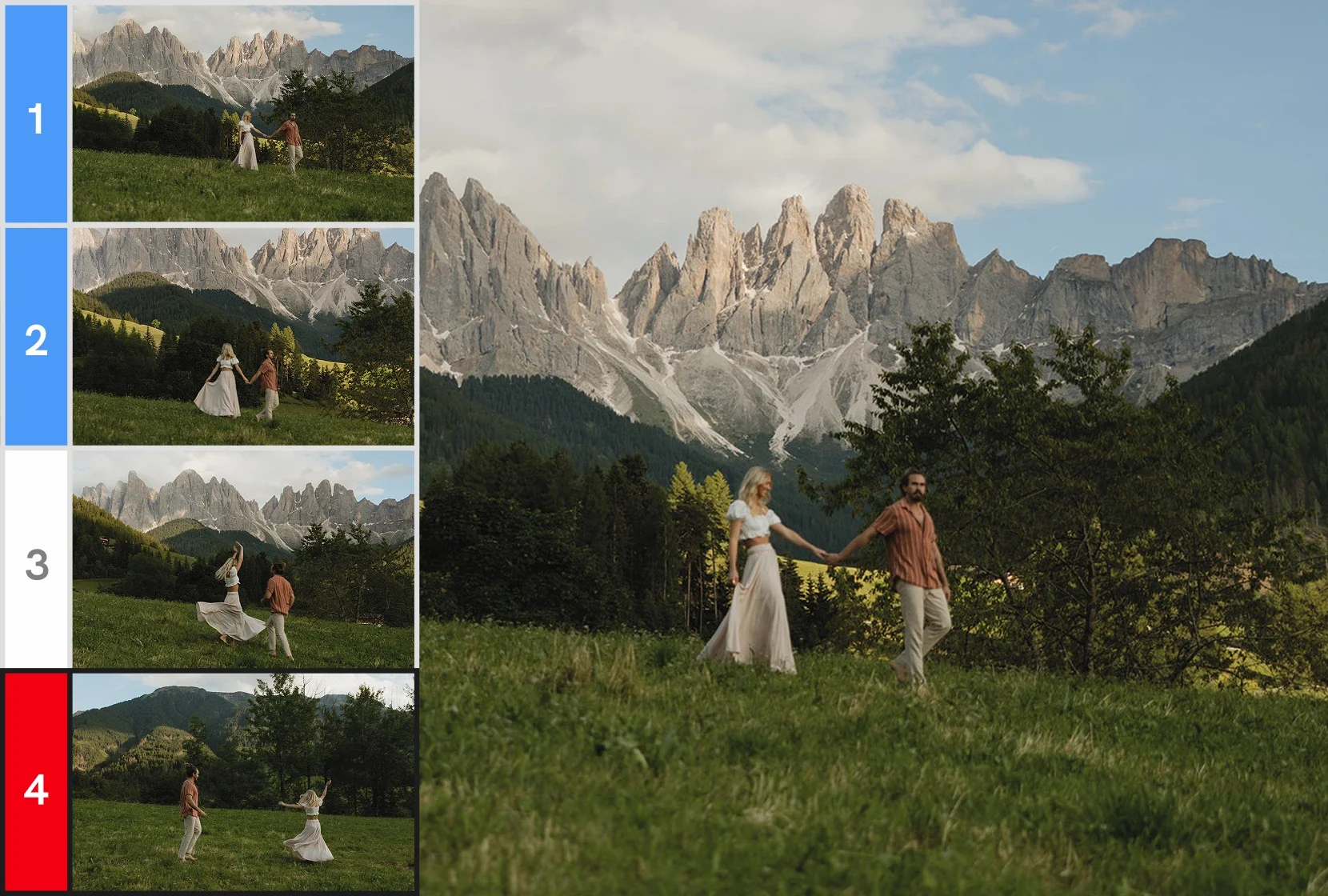
The biggest difference between the two programs is that Aftershoot goes through the photos for you, running the whole process in the background, while Narrative has you going through the images yourself in real time. With Aftershoot, you can walk away from your computer or minimize the program while it works, so it's not like you have to sit there and wait for it.
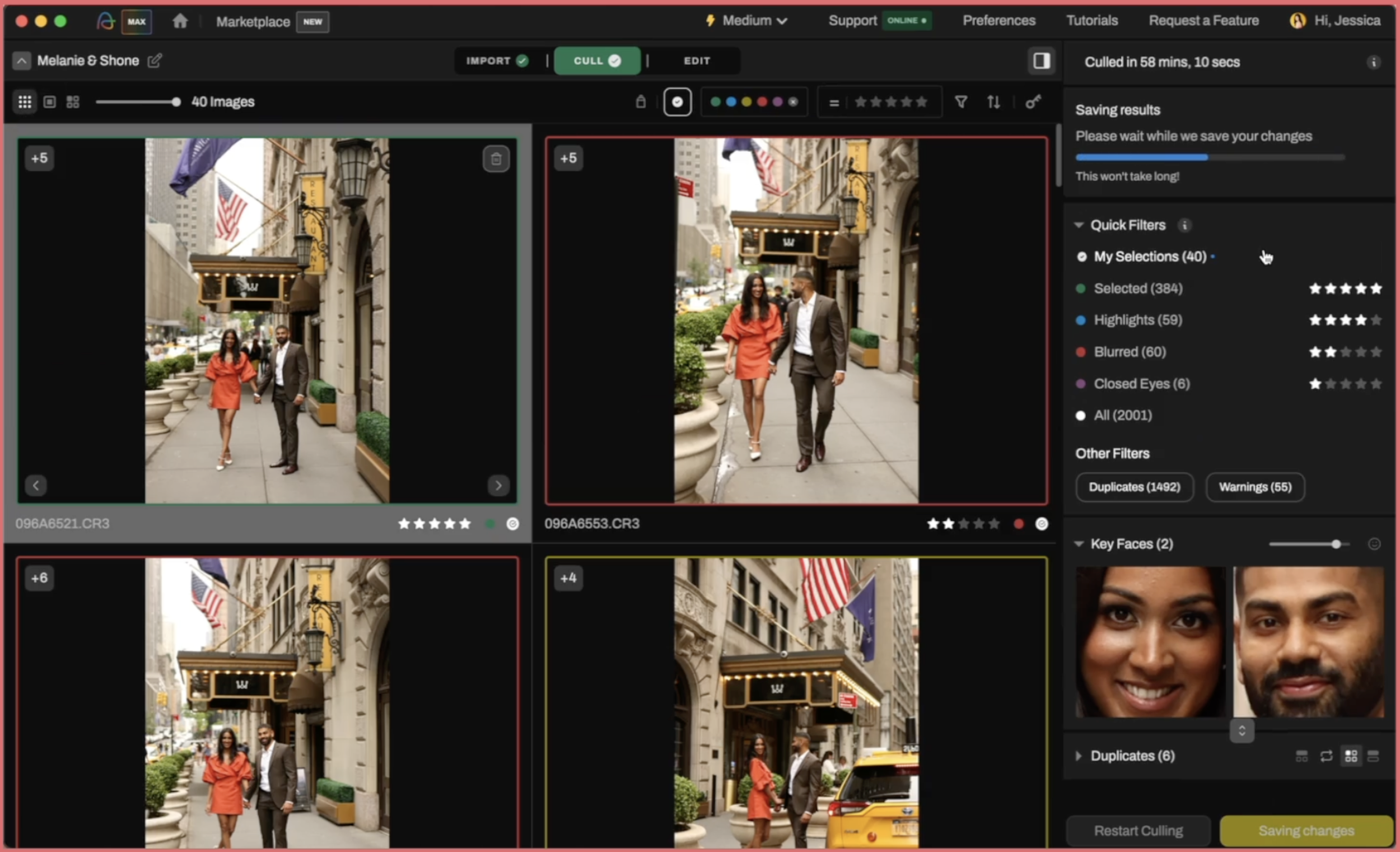
Once Aftershoot's AI has finished its job, you're presented with images sorted into color-coded categories: Selected in green, Highlights in blue, Blurred in red, and Closed Eyes in purple, along with separate filters for duplicates and warnings. It's a similar idea to Narrative's system: sort first, then review, just with different specific categories. Then you can comb through each image and decide what stays and what goes. You are supposed to review the selections. Aftershoot is not designed to be fully automated, though I know a few photographers who use it that way. To me, that's extremely risky. Why would you trust a machine to make the creative call of what stays and what goes, especially for a wedding? You'll need to review your selects either way, the same as Narrative has you making the call from the start.
Neither approach is better or worse. It just depends on whether you'd rather actively work through your gallery in real time, or let the software take a first pass while you do something else.
How Narrative’s Culling Works
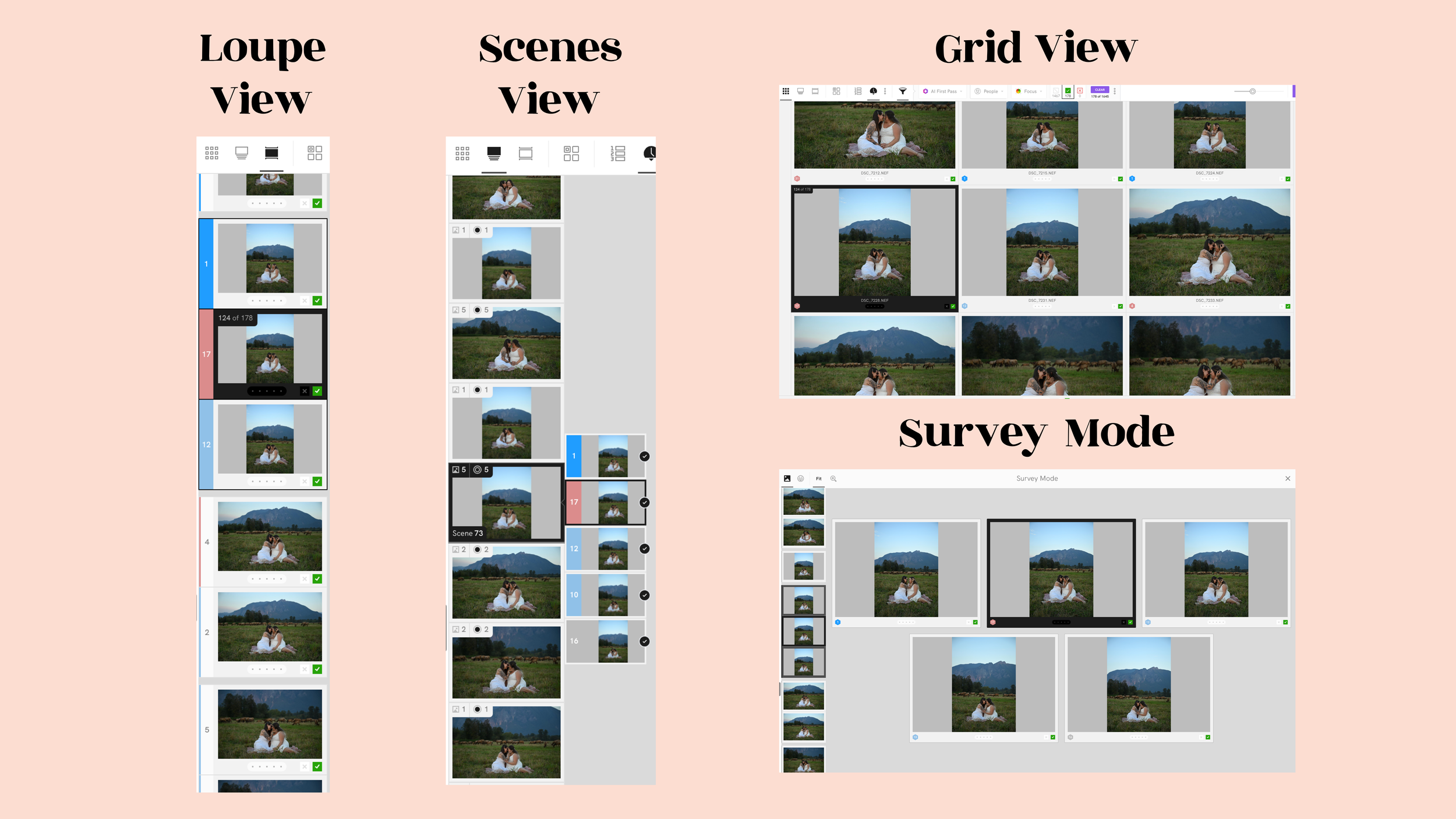
Across the top, you've got four view modes: Grid view, Loupe view, Scenes view, and Survey Mode. There's also a sort option that lets you order images by capture time or by scene rank, honestly not something worth dwelling on much.
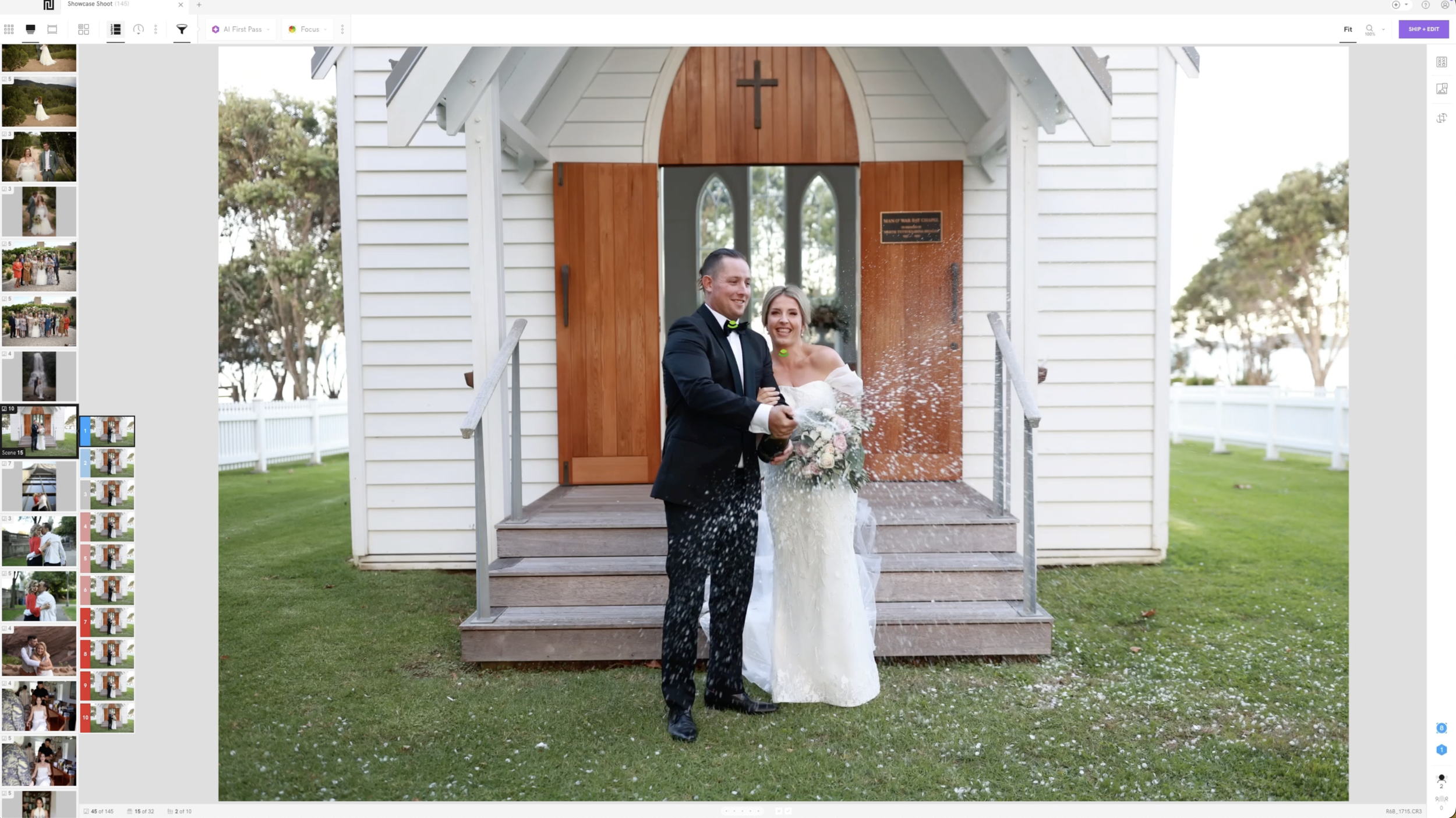
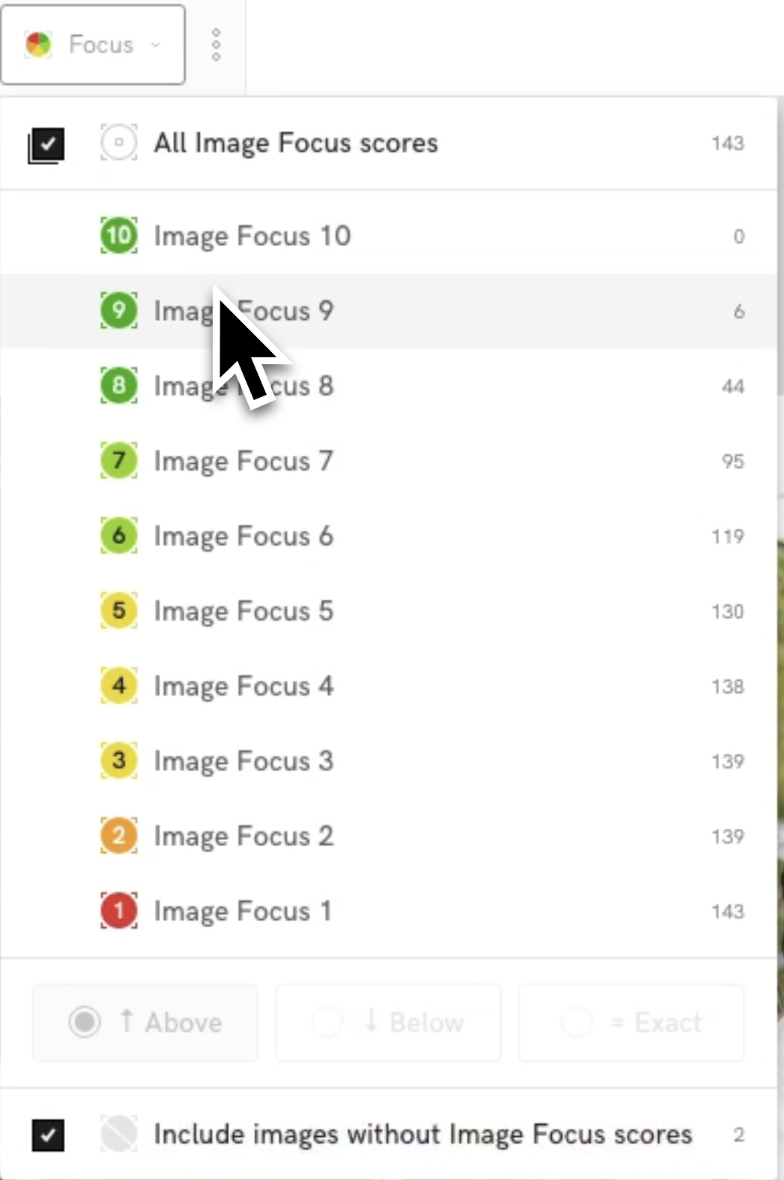
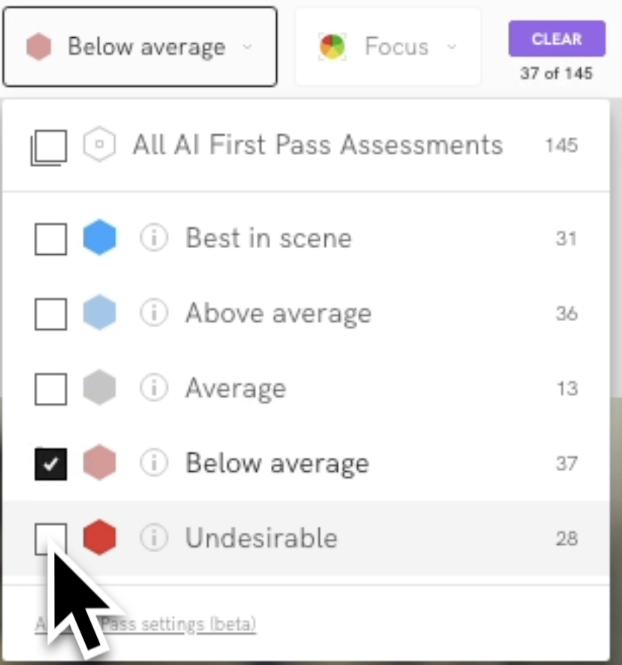
The filter icon is where the AI actually shows up. It's called AI First Pass Assessments, and it sorts your images into five tiers: Best in scene, Above average, Average, Below average, and Undesirable. Next to that is a People filter, which groups images by the specific person detected in them, and lastly is a focus filter that scores each image on a 1 to 10 scale so you can filter by anything above, below, or at an exact score.
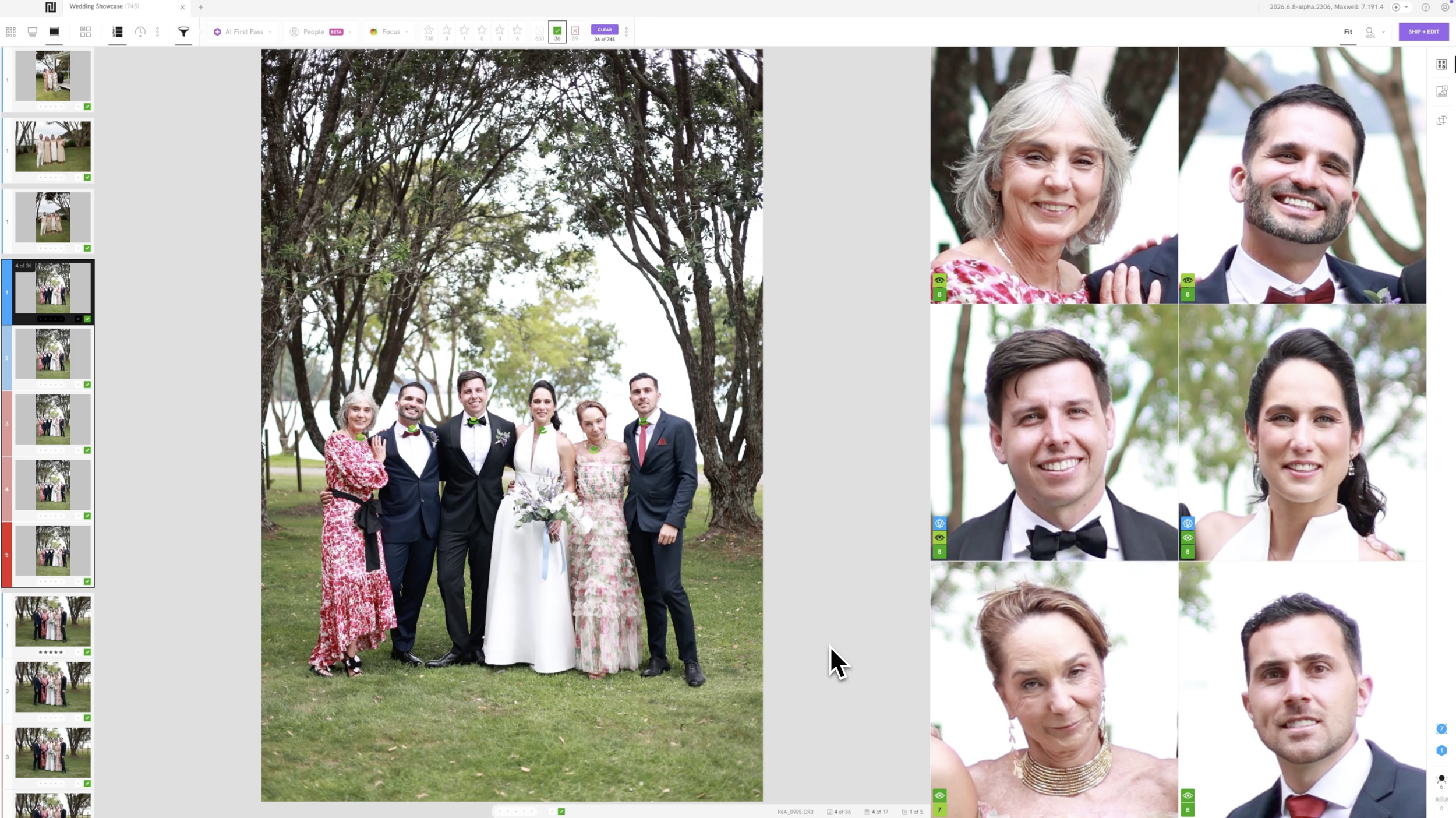
Here's where that actually matters in practice. Say you're culling a big bridal party photo, ten or twelve people lined up for a formal group shot. The odds that literally everyone has their eyes open, in focus, and not mid-blink in the same frame are pretty low, so you're probably working through a burst of ten or more shots just to land one where nobody's blinking. Aftershoot's AI can flag a shot as having closed eyes without distinguishing whether that's a real problem, like your maid of honor blinking front and center in the bridesmaid group photos, versus something that doesn't matter at all, like a guest at the far end glancing down in a spot where he's already blurry and out of focus in the background anyway. It sees "eyes closed" and counts it against the image regardless of how much that person actually matters in the frame. Narrative's Close-Ups Panel and Face Assessments pull up every single face in the frame at once, so instead of zooming in on twelve faces one at a time, you can scan the whole bridal party in a few seconds and immediately see whose eyes are actually closed and whose aren't, along with a focus reading for each face. You're still the one making the call, but you're making it fast, with everything you need right in front of you.
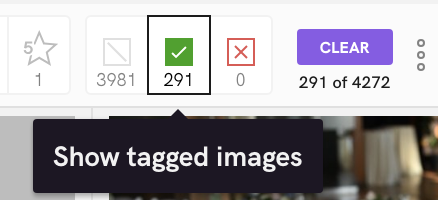
Then there's the actual tagging system, which is the part you'll use the most. There are three states: untagged, tagged (marked with a green checkmark), and rejected (marked with a red X). You tag an image by hitting “T “on your keyboard, and untag it with “U”. That's genuinely it.
How I Use Narrative's Culling Workflow in my Photography Business
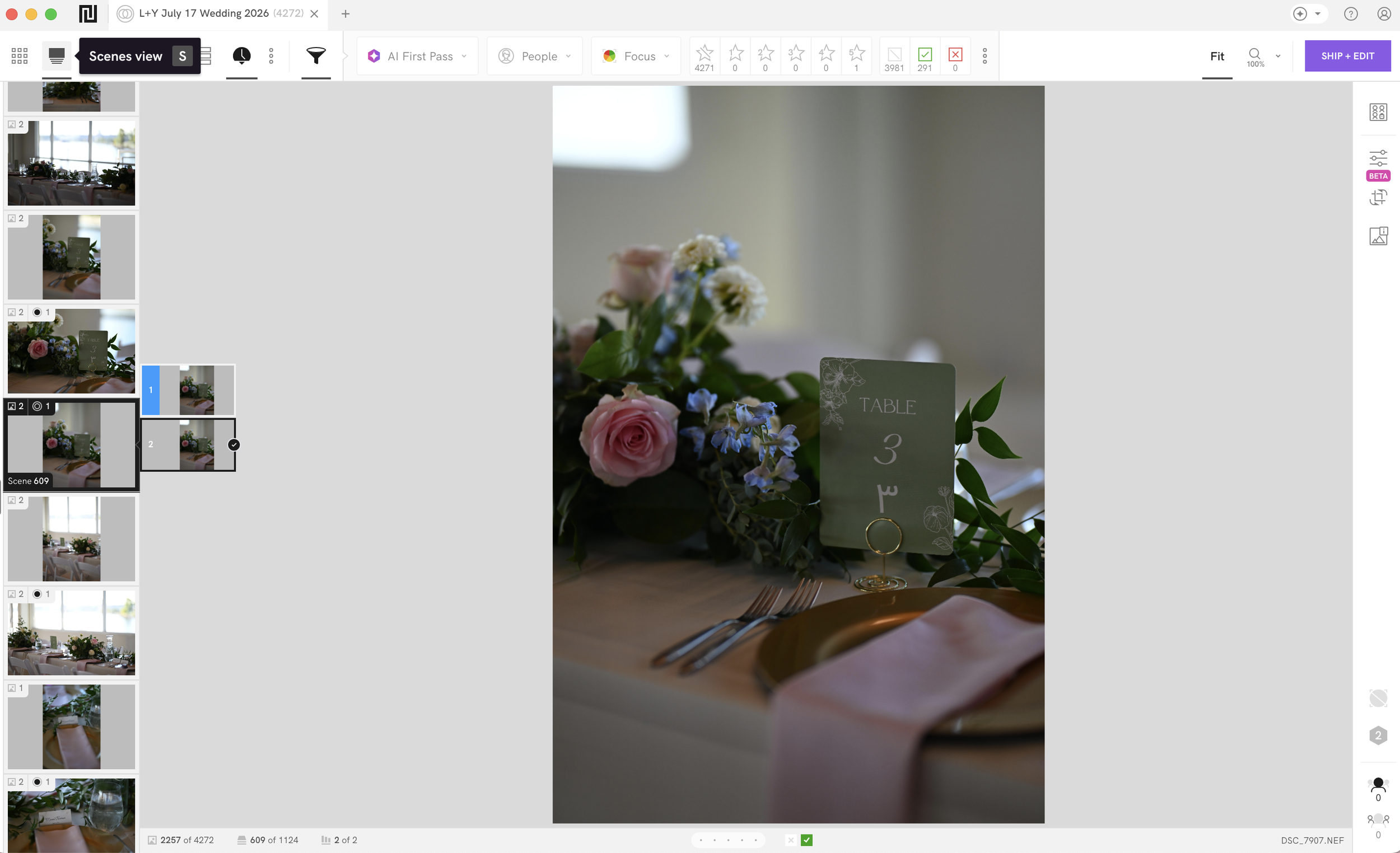
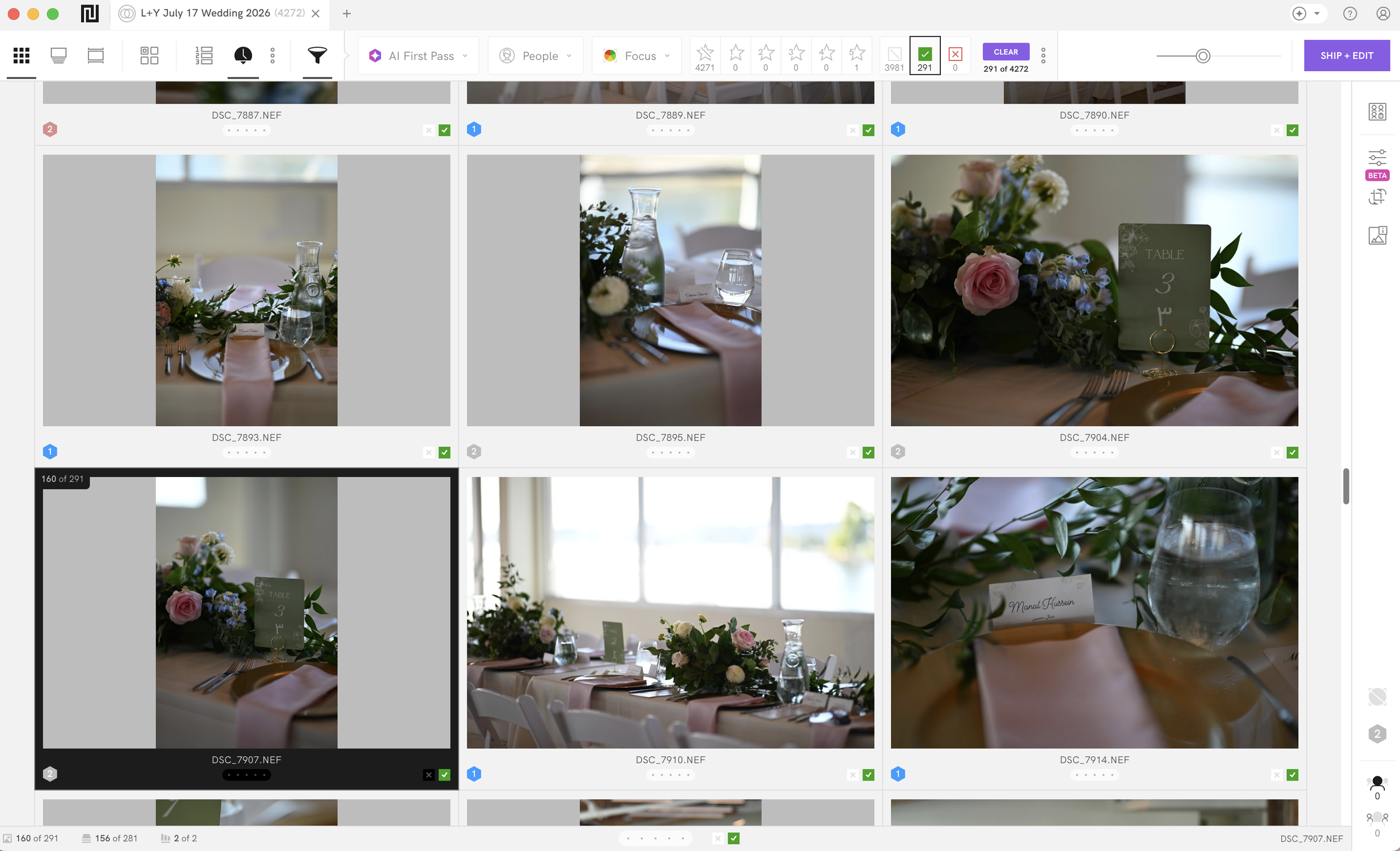
My actual workflow is about as simple as it gets. I always use “Scenes View”. Whether I choose to use the ‘AI First Pass” assist depends on the photoshoot. If it's a collab or TFP session, I'll use it because I need to move fast. If it's a paid client shoot, I skip it, since I don't mind spending a little extra time looking through every image myself. From there, I just tag what I like using the keyboard as I go. Once I'm through the gallery, I go back through my tags and untag anything I've changed my mind on. I don't actually use the rejection option at all. I just live in the tag and untag space the whole time.
The other thing worth mentioning here is speed. There's no load time between images, and nothing shows up pixelated while it renders in, even though I'm working on a slightly older laptop. That's part of why this workflow is fast enough that I was able to cull an entire 10,000-photo wedding gallery in about two hours using exactly this method, tagging and untagging my way through, no AI assist needed.

Aftershoot Is High-Lift Software
I used Aftershoot for two and a half years, and I genuinely liked it. This isn't about disliking the software; it's good, capable software, and I don't have complaints about what it actually does. I had other reasons for eventually switching back to Narrative, more on that in a bit, but I want to be upfront that none of this is a knock on Aftershoot's quality.
What it is, though, is high-lift. Everything I've described so far about the actual culling process works great. The AI runs in the background, sorts your images into categories, and you review them. The problem isn't the culling itself. Aftershoot, as a whole piece of software, just isn't as intuitive as Narrative, and it takes real time and effort to actually get up and running with it. Which is fine if you have the time to commit to it. I’ve always made it clear when I was using and partnered with Aftershoot that there is a learning curve and a time commitment, but once you’ve put in the hours to get it figured out, you’re sorted.
With Narrative, you download it, and you're culling within minutes. There's no real setup required beyond importing your images. Aftershoot isn't like that. You're learning a new interface, figuring out how groupings and sequences work, and picking up keyboard shortcuts that aren't especially intuitive at first. It's not a five-minute learning curve like Narrative is.
Marketing and Positioning: The AI Question
I wish Narrative would tone down how much they lean on the word "AI" in their own marketing copy. Functionally, their approach isn't anywhere near as AI-forward as Aftershoot's, but if you just skim their landing page, you might assume the two are more similar than they actually are, since "AI" still shows up all over Narrative's copy too.
I think that distinction matters more than companies realize. I'm Gen Z myself, and I can tell you firsthand that a lot of people in my generation are genuinely anti-AI at this point. It’s not that they’re just skeptical of it (because we are way past that), but are actually opposed to it and don’t see it as a selling point. I'm not the only one who feels this way, especially as Aftershoot, as a software, has evolved and pumped out more and more features within the past year- retouching, gallery delivery, and now editing built directly into the app- that all lean harder into AI.
The optics of AI in both these companies' marketing isn't just an abstract concern for me. I run one Instagram account, and it does double duty: it's where I share photography education content for other photographers, but it's also where potential branding clients find me and decide whether they want to work with me. A lot of my branding clients are actually authors, and as you can obviously imagine, authors as a group tend to be especially anti-AI. So if I'm sharing that I use a piece of culling and editing software to my photography followers and a client clicks through out of curiosity to check out that company's own Instagram, and lands on Aftershoot's account leaning hard into AI retouching, AI galleries, AI everything, that's bad optics when a meaningful chunk of my actual client base is people who are wary of AI. Aftershoot was not like this when I first started using their software back in 2024. But because of the direction it’s going, it was a natural transition for me to switch back to using Narrative.
Which Gives You More Creative Control in the Culling Process?
Both of these programs give you the same amount of creative control. Neither one is designed to make the final call for you. Creative control is not where Aftershoot & Narrative Select differ. Where they differ is in how much effort it takes to get to that point of control. Narrative hands it to you almost immediately; there's barely any barrier to entry. You open it, and you're making decisions within minutes. Aftershoot gets you there too, but only after you clear a bigger hurdle first: learning the interface, understanding how groupings work, building muscle memory for shortcuts that don't come naturally at the start. The destination of having culled images ready to import into Lightroom is identical; it is the on-ramp that looks nothing alike. So if you're trying to decide between the two, I don't think "which one gives me more control" is actually the right question, because the answer is neither, equally. The better question is how much friction you're willing to deal with to get there, and whether you'd rather spend that time upfront learning a more involved system, or just start making creative decisions on day one.
Which Culling Software Should You Buy?
If you've made it this far, here's where I land. For most photographers, especially if you want to get up and running quickly, keep your setup simple, and not have AI be the headline of every tool in your workflow, Narrative is the better choice. It's faster to learn, the pricing is predictable, and you're making every creative call yourself from the very first image you look at. The right tool is just the one that gets you through it with the least friction and the most confidence in what you're delivering.
If you want to try Narrative for yourself, they offer a 14-day free trial, no credit card required. Sign up using the link below, and if you end up loving it as much as I do, use code jessicawhitaker for 10% off.